


AI that answers your WordPress chats and your phone.
A free plugin puts Chattoko's chat on every page of your site. The AI answers from your own FAQs and pages, hands the chat to your team when it should, and on a Chat + Phone plan it answers your calls too.
Free plugin · Chattoko from US$59 a month after a 14-day trial · Card needed, nothing charged for 14 days
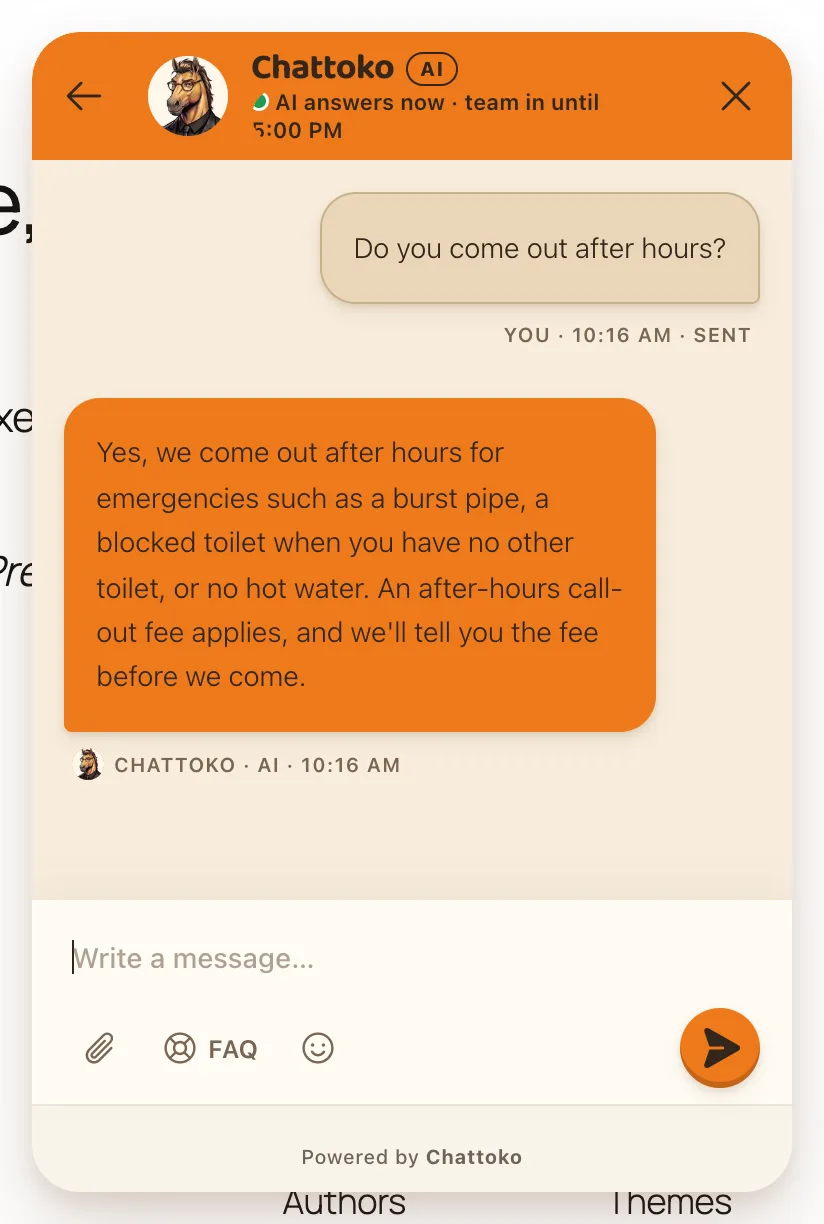
Watch a real install, start to finish
From a WordPress site with no chat to the AI's first answer at 1:05 on the clock. Nothing is cut or sped up: the clock in the corner is the recording's own time. Our Chattoko account was already open, on its WordPress page.
Read what the video says
- Here's a WordPress site with no chat yet. The clock in the corner is real, and our Chattoko account is already open.
- In WordPress, open Plugins, then Add Plugin, and search for Chattoko.
- Press Install Now, then Activate. The plugin is free.
- A notice asks for your Workspace ID. Open Chattoko.
- In Chattoko, open Integrations, then WordPress, and copy your Workspace ID.
- Paste it here, and save.
- The plugin checks the ID with Chattoko and names your workspace.
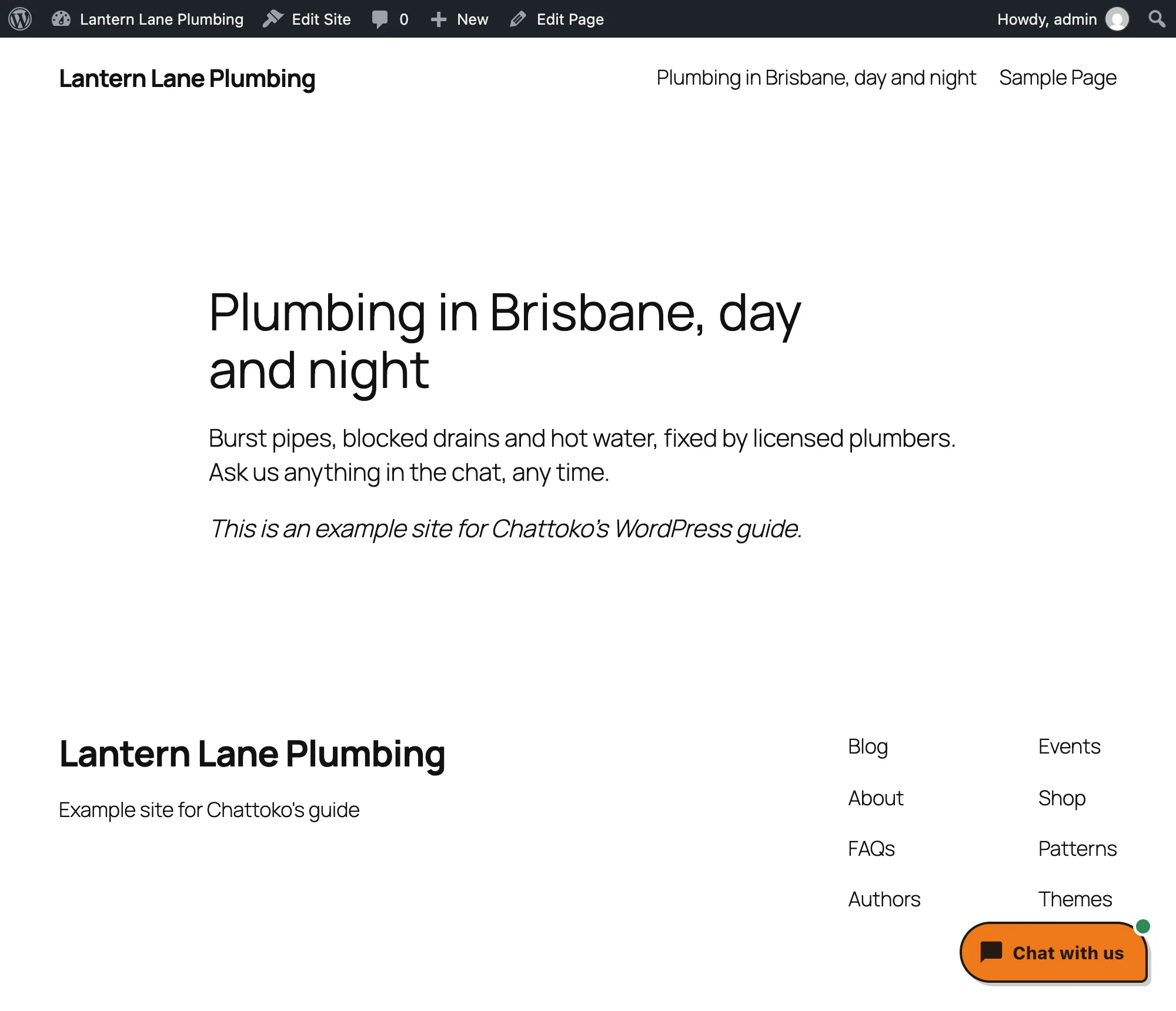
- Open your site. There's your chat.
- Ask it something. This is real time.
- It answers from your own FAQs.
- Your team sees every chat in Chattoko, and can step in at any time.
- That's it. Next, import your website, forward your phone, or connect your store.
Try it before you install anything
Our own AI answers the chat and the phone from our own FAQs, the way yours will answer from yours. The live preview runs the real plugin on a made-up plumber's website.
Ask the chat on this page
Call our AI receptionist
Call 07 4277 3000 and ask it anything you'd ask a front desk.
Call our AI07 4277 3000Open WordPress in your browser
A temporary WordPress opens with the plugin already connected to an example workspace. Nothing is installed on your site. It takes about 20 seconds to start, and works best on a computer.
Open the live previewFor any kind of WordPress site
Examples, not customer stories.
Any WordPress site
A plumber, a clinic, a salon or a studio. The AI answers the questions you get every day from your own FAQs and pages, takes the details when someone needs a person, and your team sees every chat in one inbox.
Example: on a Chat + Phone plan, a call comes in at 7 pm. The AI answers, takes the details, and your team reads what was said in the morning.
A WooCommerce store
The plugin tells your chat flows what's in the cart. Connect a read-only WooCommerce key in Chattoko and the AI answers from your products, while your team sees a shopper's orders beside the chat.
Checkout links, phone orders and sales from chats work on Shopify only. See what works with WooCommerce.
Install it in about 5 minutes
Pick the way that suits your site. The pictures are real, from WordPress and from Chattoko, with an example workspace.
Search in WordPress
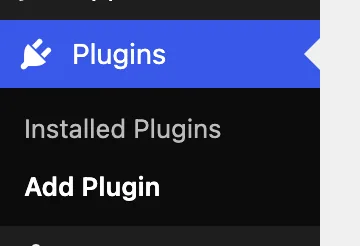
- In WordPress, open Plugins ▸ Add Plugin.
- Search for Chattoko.

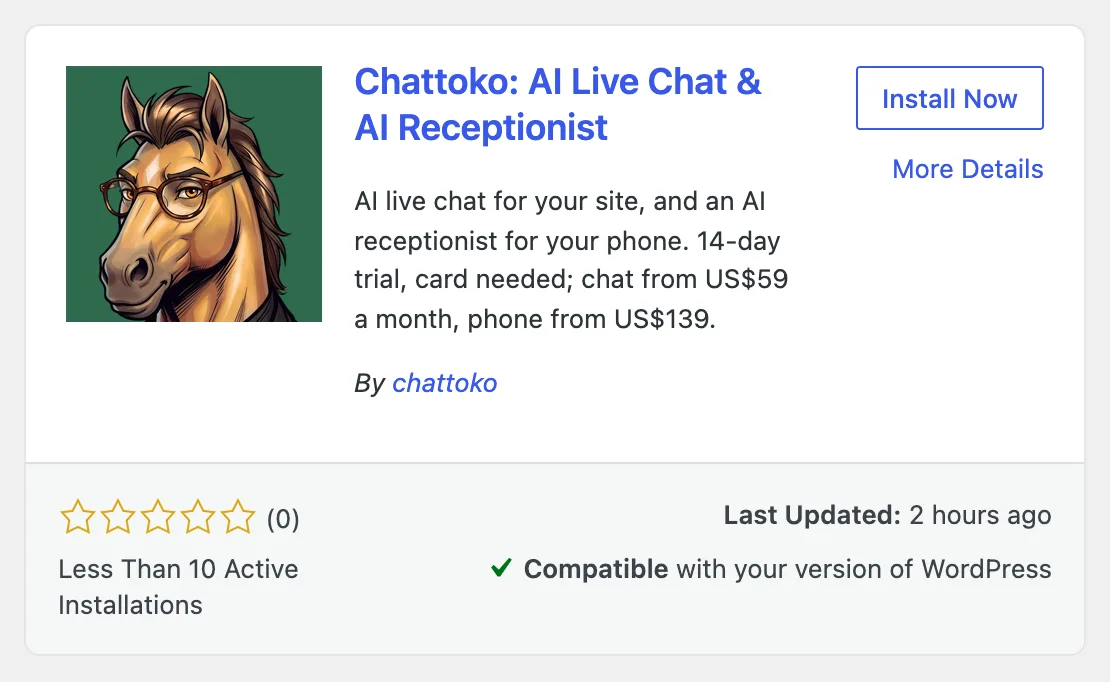
- Press Install Now.
- Press Activate.
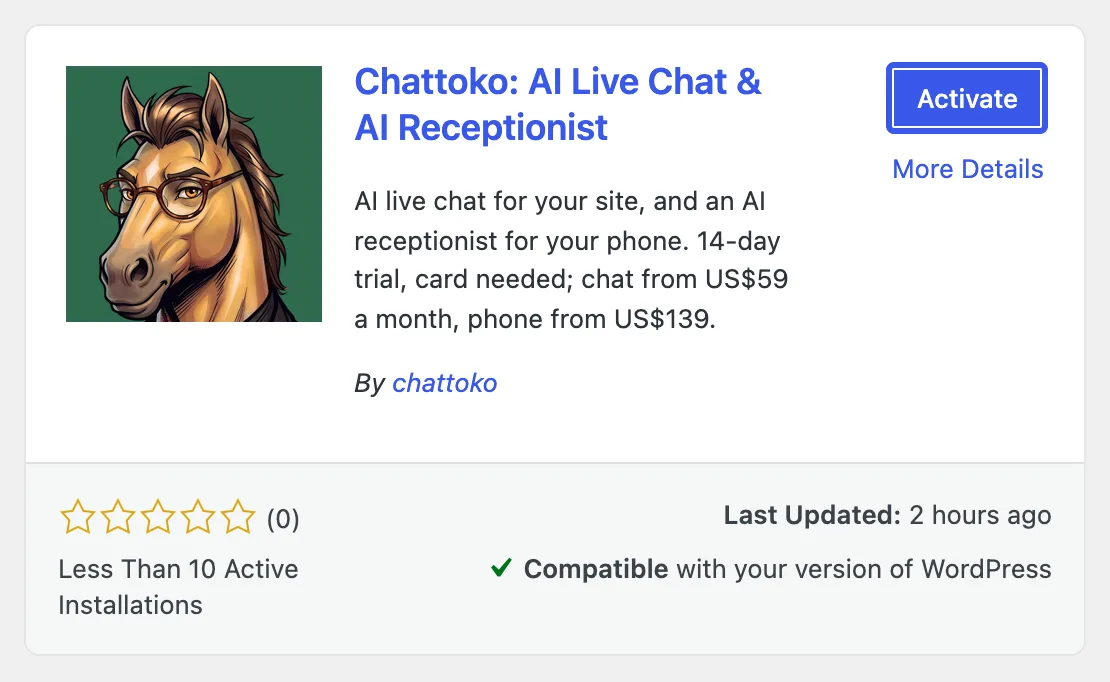
- A notice asks for your Workspace ID. Press Open Chattoko. Chattoko is in the WordPress menu from now on.
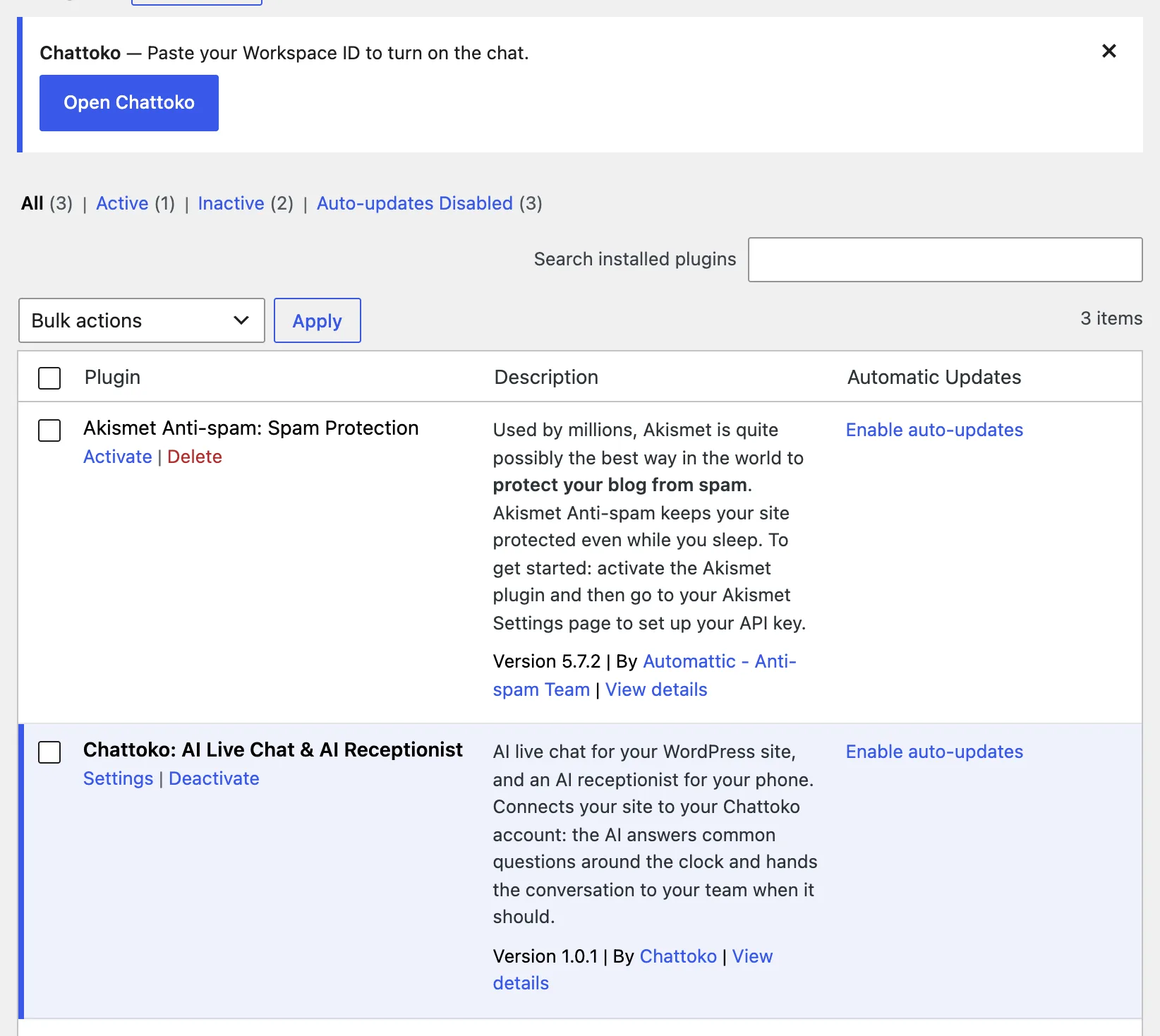
- In Chattoko, open Integrations ▸ WordPress and press Copy. No account yet? Start your trial; it needs a card, and nothing is charged for 14 days.
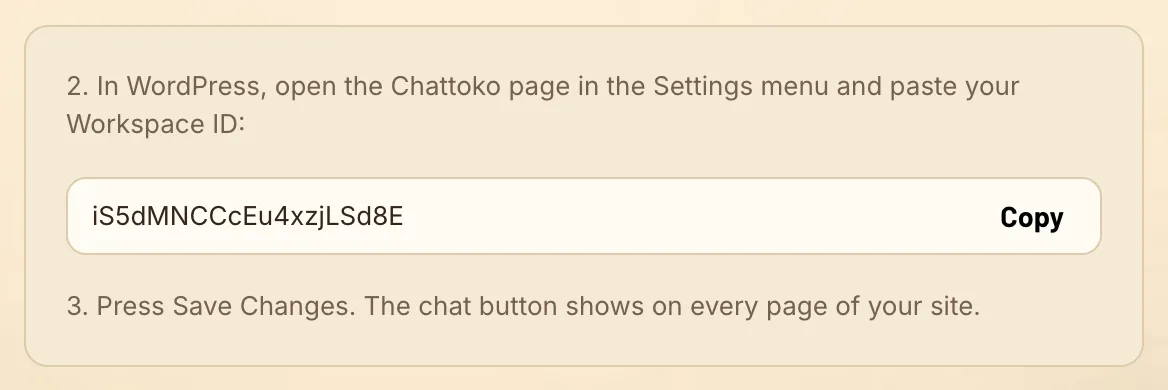
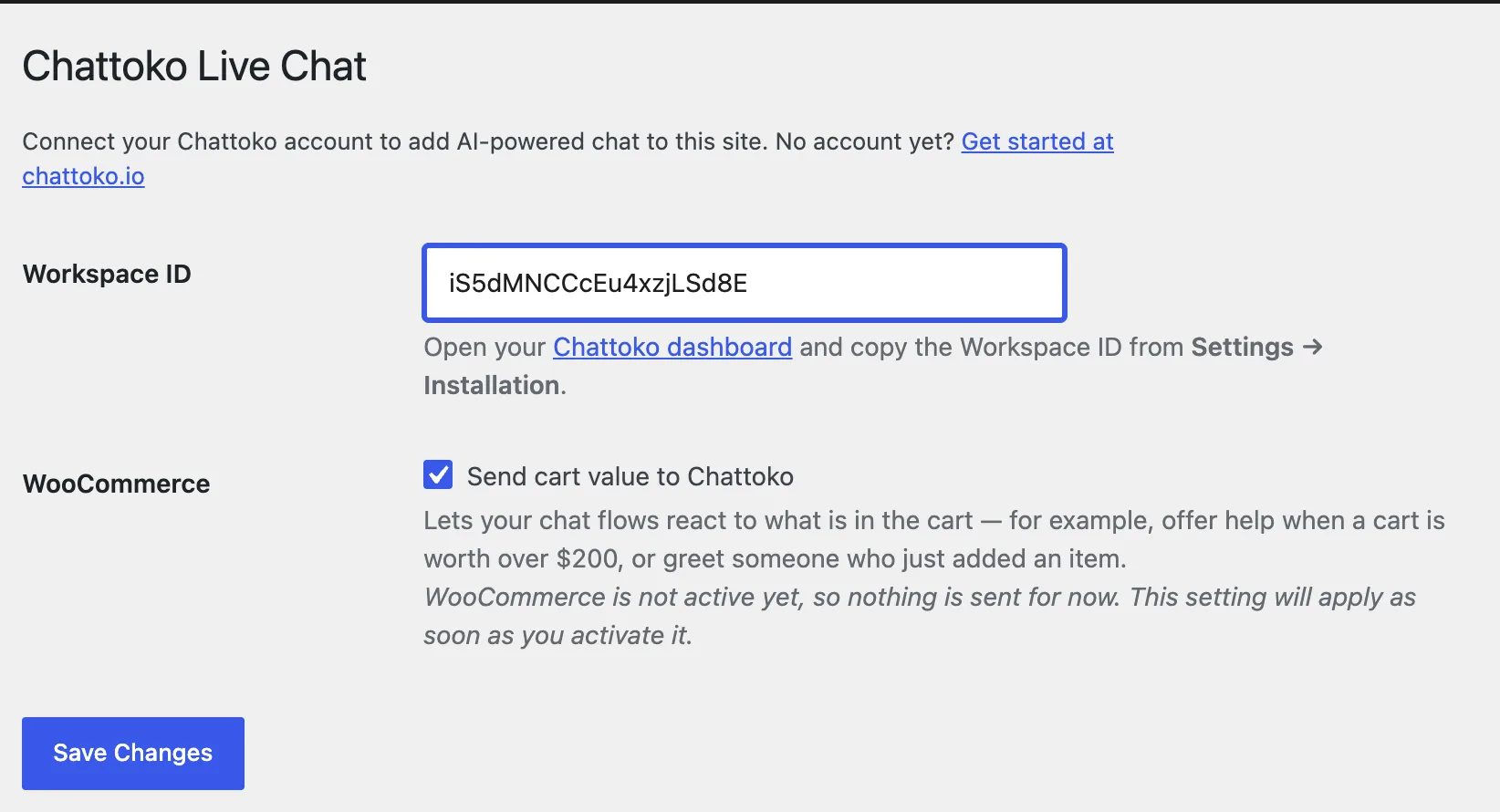
- Back in WordPress, paste the ID into Workspace ID.
- Press Save Changes. The page names your workspace once Chattoko has checked the ID.
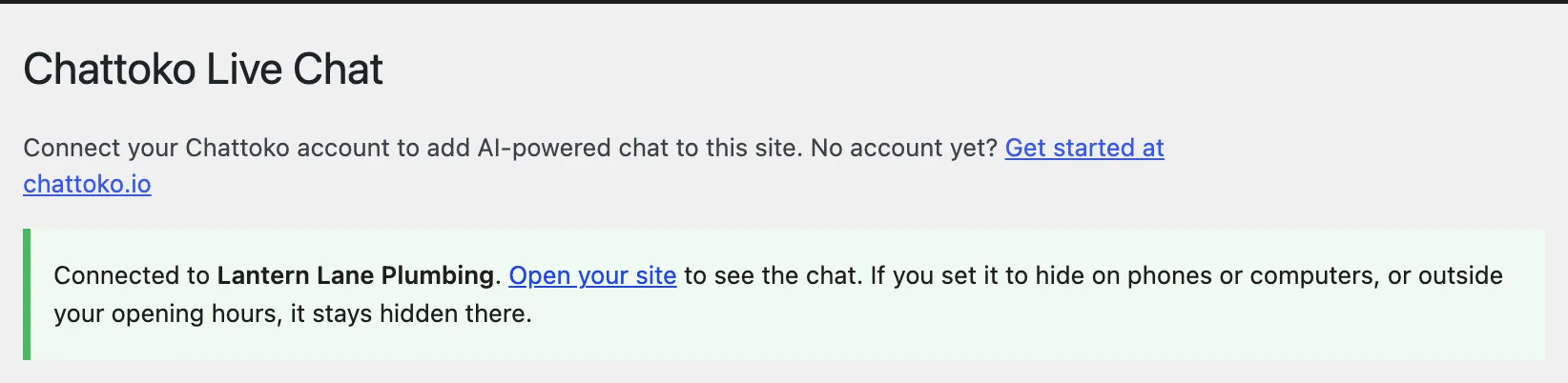
- Open your site. The chat button is there. Ask it something. A new workspace asks visitors for their name and email before the chat starts; switch that off in Settings ▸ Appearance ▸ Pre-chat survey if you'd rather it didn't.
Download the zip
- On WordPress.org, open the Chattoko plugin and press Download.
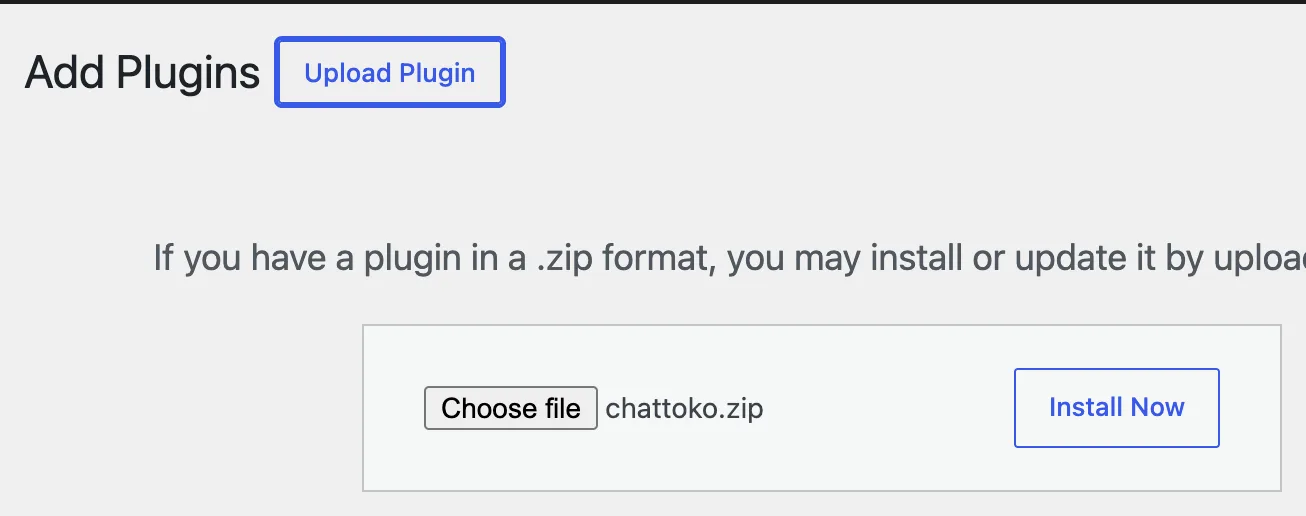
- In WordPress, open Plugins ▸ Add Plugin and press Upload Plugin.
- Choose the zip, press Install Now, then Activate Plugin.
- Carry on from step 5 of Search in WordPress.

Can't install plugins?
What happens after you install
The first 14 days, and what to do in them.
Today
The chat is on your site. In Brain, import your website and add the five answers people ask most.
Day 1
Ask it your hardest question. Put your chat link on your contact page.
Week 1
Suggestions lists what the AI couldn't answer. Add an answer once and the AI uses it from then on. A weekly email shows how it went.
Add calls
On a Chat + Phone plan, forward your number or get a new one, and the AI answers when you can't.
Before day 14
Settings ▸ Billing & Plans shows the day your trial ends. Cancel there before day 14 and you pay nothing. We also send a reminder in the last 3 days, unless you've turned off our setup emails.
Running WooCommerce?
Questions WordPress owners ask
Is it really free?
The plugin is free and has no locked features. Chattoko itself starts with a 14-day trial that needs a card, with nothing charged for 14 days. After that, chat plans start at US$59 a month and Chat + Phone plans at US$139.
Will it slow my site?
The plugin adds one script that loads with defer, after your page, so it never holds your page back from showing. PNG and JPEG logos you upload are shrunk to a small image for the chat.
Does it work with my cache or optimisation plugin?
Nothing visitor-specific is printed into your pages, so page caching is safe. We tested Autoptimize and LiteSpeed Cache, including LiteSpeed's "Combine External and Inline JS".
Do I need WooCommerce?
No. Any WordPress site works. With WooCommerce, the plugin also tells your chat flows what's in the cart.
How do I know it's working?
After you save, the plugin's page names your workspace, or says why the chat isn't showing yet: no plan chosen, live chat switched off, or no workspace with that ID. In Chattoko, Integrations ▸ WordPress says which site the chat last ran on.
What does the plugin send, and where?
Nothing until you save a Workspace ID. Then, on each page that loads the chat, Chattoko receives the page's address and title, where the visitor came from, their browser and device, and an approximate location from their IP address; what they write in the chat goes to Chattoko too. The chat's fonts (Google Fonts) and its bot check (reCAPTCHA) reach Google from the visitor's browser. Conversations and settings are stored in Google Cloud's Sydney region, and a few providers, such as the AI, process data elsewhere: chattoko.io/security names them. The plugin's readme lists every server under External services.
What happens if I deactivate or delete the plugin?
Deactivating stops the chat at once and keeps your Workspace ID for next time. Deleting the plugin removes the ID too.
My host doesn't allow plugins. What now?
Add the chat's code another way: Settings ▸ Installation in Chattoko has the code, and our guide Add the chat to any website shows where it can go. If your site can't take code at all, share your chat link instead, on your contact page or behind a button. Both are below, under Can't install plugins.
Can the AI answer my phone too?
Yes, on a Chat + Phone plan. Forward the number you have, or get a new local number in Australia, the US or Canada. Your team rings first, and the AI answers when nobody picks up or after hours.
Something isn't working.
Email support@chattoko.io with your site's address and what you see, and a person will help.
Five minutes from now, your site can answer.
14-day trial · Card needed, nothing charged for 14 days · Cancel in Settings ▸ Billing & Plans